Tag: Analog Living

  • How to Make Screen-Free Time Fun for Everyone

    How to Make Screen-Free Time Fun for Everyone

    In today’s digital world, screens are everywhere. Whether it’s smartphones, tablets, laptops, or televisions, technology has become a regular part of our daily lives. While digital devices help us stay connected and entertained, spending too much time in front of a screen can reduce family interaction, affect sleep, and leave us feeling mentally drained.

    The good news is that screen-free time doesn’t have to feel boring or restrictive. With a little creativity, it can become the highlight of your day. By replacing screen time with enjoyable activities, you can strengthen relationships, encourage creativity, and create lasting memories with your loved ones.

    Why Screen-Free Time Matters

    Taking regular breaks from screens benefits both children and adults. It gives your eyes and mind a chance to rest while encouraging real-life conversations and experiences. Screen-free activities can also improve focus, reduce stress, and promote healthier habits.

    Instead of thinking about what you’re giving up, focus on everything you gain—more quality time, better communication, and opportunities to try something new.

    Turn Everyday Moments into Fun Activities

    You don’t need expensive equipment or elaborate plans to enjoy time away from screens. Everyday activities can become enjoyable when everyone participates.

    Try simple ideas such as:

    • Cooking a meal together
    • Baking homemade treats
    • Gardening
    • Organizing a picnic
    • Rearranging a room
    • Completing household projects as a team

    Working together creates opportunities to talk, laugh, and bond without digital distractions.

    Bring Out the Board Games

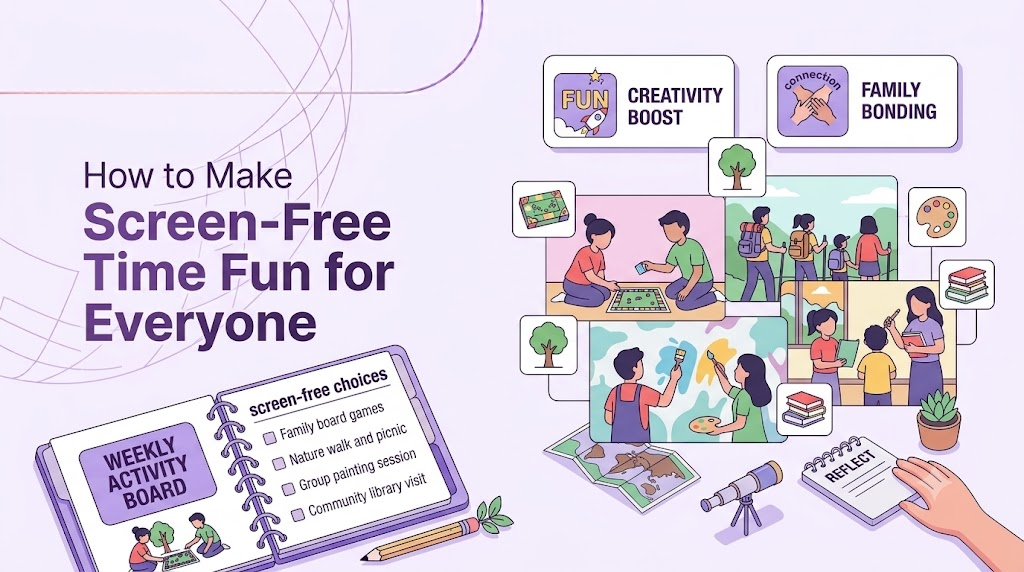
    Classic board games and card games are a great way to entertain the whole family. They encourage teamwork, problem-solving, and friendly competition.

    Games like chess, Uno, Scrabble, Monopoly, or even simple card games can keep everyone engaged for hours. Rotate games each week so everyone has a chance to choose a favorite.
    How to Make Screen-Free Time Fun for Everyone

    Get Moving Outdoors

    Fresh air and physical activity naturally reduce the desire to check phones.

    You could:

    • Go for a family walk
    • Ride bicycles
    • Play football or badminton
    • Visit a local park
    • Fly a kite
    • Explore a nearby nature trail

    Outdoor activities improve physical health while giving everyone a refreshing break from screens.

    Encourage Creative Hobbies

    Creativity helps people of all ages relax and express themselves.

    Consider activities like:

    • Drawing or painting
    • Building with LEGO or blocks
    • Making DIY crafts
    • Writing short stories
    • Playing a musical instrument
    • Learning origami
    • Solving puzzles

    Creative hobbies provide a sense of accomplishment and often become long-term interests.

    Create Weekly Screen-Free Traditions

    Having a regular offline tradition makes screen-free time something everyone looks forward to.

    Some ideas include:

    • Family game night every Friday
    • Screen-free Sunday mornings
    • Monthly camping trips
    • Evening storytelling sessions
    • Weekend cooking challenges

    Consistency helps build healthy habits and makes unplugging feel natural instead of forced.

    Let Everyone Choose an Activity

    People are more likely to enjoy screen-free time when they have a say in how it’s spent.

    Create a list of offline activities and let each family member choose one each week. Rotating responsibilities keeps things fresh and ensures everyone feels included.

    Keep Phones Out of Sight

    It’s much easier to stay engaged when devices aren’t constantly nearby.

    Place phones in a basket during family activities or leave them in another room. Without constant notifications, conversations become more meaningful and distractions fade away.

    Final Thoughts

    Making screen-free time fun isn’t about banning technology—it’s about creating experiences that are even more rewarding than scrolling through a phone. Whether you’re playing games, exploring the outdoors, cooking together, or discovering a new hobby, these moments help strengthen relationships and improve overall well-being.

    Start with just one screen-free activity each week and involve everyone in the planning process. Over time, you’ll find that disconnecting from devices creates more opportunities to connect with the people who matter most. The best memories are rarely made in front of a screen—they’re made through shared experiences, laughter, and quality time together.


  • How to Do a Digital Detox Without FOMO

    How to Do a Digital Detox Without FOMO

    The fear of missing out is the number one reason digital detoxes fail. You put your phone away for an afternoon, and by hour two you’re convinced something urgent is happening without you — a text, a work email, a group chat decision. The trick isn’t to ignore that fear. It’s to plan around it so it never gets the chance to build.

    Tell People Before You Disappear

    Most FOMO comes from uncertainty, not from actually missing something. A short message to close friends, family, or your team — “I’m offline this weekend, back Monday” — removes the guesswork. People stop expecting instant replies, and you stop worrying that silence looks like you’ve vanished.

    Set an Auto-Reply

    For work or anything time-sensitive, an out-of-office or auto-reply message does the heavy lifting for you. It reassures the sender their message was received and tells them when to expect a response. This one step removes a huge amount of low-level anxiety about “what if someone needs me.”

    Pick a Detox Length You’ll Actually Finish

    FOMO gets worse the longer and vaguer the detox is. “No phone for a week” invites anxiety; “no phone from 6pm Friday to 6pm Saturday” is concrete and finishable. Start with a short, clearly bounded window. Success at a small scale builds the confidence to go longer next time.

    How to Do a Digital Detox Without FOMO

    Give Yourself a Re-Entry Ritual

    Part of FOMO is dreading the pile-up you’ll face when you return. Decide in advance how you’ll catch up — for example, checking messages before email, or giving yourself 20 uninterrupted minutes to scroll through everything before responding to anything. Knowing you have a plan for re-entry makes the time away feel safer.

    Remember What You’re Not Missing

    Ironically, most of what circulates on social media during a detox window isn’t something you’d have engaged with anyway — recycled headlines, arguments in comment sections, content designed to be forgotten within a day. Reminding yourself of this before you unplug helps reframe “missing out” as “opting out of noise.”

    Focus on What You’re Gaining

    Reframe the detox around what you’re doing instead, not what you’re avoiding. A walk, an uninterrupted conversation, a finished chapter of a book — these are real, felt experiences that compete favorably with the vague anxiety of “what if I missed something.” The more present you are in the offline moment, the less bandwidth FOMO has to work with.

    Accept That You Might Miss Something Small — and That’s Fine

    Realistically, you might miss a meme, a minor update, or a joke in a group chat. Naming that possibility out loud, and accepting it as an acceptable cost, takes away its power. The things that truly matter — emergencies, important news — will almost always reach you through a call, not a feed.

    A digital detox doesn’t require willpower alone. It requires removing the uncertainty that FOMO feeds on, so your mind has nothing left to spin around while you’re away from your screen.

  • How to Raise Digital Wellness-Aware Children

    How to Raise Digital Wellness-Aware Children

    Technology is a part of everyday life, and for today’s children, it’s as normal as books, toys, and playgrounds. From online learning and educational apps to video calls with family and entertainment, digital devices offer countless benefits. However, without healthy boundaries, excessive screen time can affect a child’s sleep, attention span, emotional well-being, and social development.

    Raising digital wellness-aware children isn’t about banning technology—it’s about teaching them how to use it responsibly and mindfully. By helping children develop healthy digital habits early, parents can prepare them to navigate the online world with confidence and balance.

    What Is Digital Wellness?

    Digital wellness refers to maintaining a healthy relationship with technology. It means using digital devices in ways that support physical health, mental well-being, productivity, and meaningful relationships rather than allowing screens to dominate daily life.

    Teaching children digital wellness helps them understand that technology is a tool, not a lifestyle.

    How to Raise Digital Wellness-Aware Children

    Be a Positive Role Model

    Children often copy what they see rather than what they’re told.

    If parents constantly check their phones during meals or conversations, children are likely to adopt the same behavior. Instead, demonstrate healthy habits by putting your phone away during family time, limiting unnecessary screen use, and prioritizing face-to-face interactions.

    Showing balanced technology use is one of the most effective lessons you can teach.

    Create Family Screen Rules

    Having clear and consistent guidelines helps children understand when and how technology should be used.

    Consider setting rules such as:

    • No phones during meals.
    • No screens one hour before bedtime.
    • Homework before entertainment.
    • Screen-free family activities every weekend.
    • Devices charged outside the bedroom overnight.

    When everyone in the family follows the same rules, children are more likely to respect them.

    Encourage Offline Activities

    Digital wellness isn’t only about reducing screen time—it’s about creating meaningful alternatives.

    Encourage children to explore hobbies like reading, drawing, cycling, playing sports, gardening, cooking, building puzzles, or learning a musical instrument. Outdoor play and creative activities improve problem-solving skills, boost confidence, and promote healthier physical and emotional development.

    The more engaging offline experiences children have, the less dependent they’ll become on digital entertainment.

    Teach Mindful Technology Use

    Instead of telling children that screens are “bad,” teach them to ask thoughtful questions before picking up a device.

    For example:

    • Why am I using this device?
    • Is this helping me learn or simply passing time?
    • Have I spent enough time playing, reading, or being active today?

    These simple questions help children become more intentional about their digital choices.

    Talk About Online Safety and Kindness

    Digital wellness also includes responsible online behavior.

    Teach children to:

    • Protect their personal information.
    • Think before sharing photos or comments.
    • Be respectful in online conversations.
    • Recognize cyberbullying and report it.
    • Ask for help if something online makes them uncomfortable.

    Open conversations build trust and make it easier for children to seek guidance when needed.

    Balance Learning and Entertainment

    Not all screen time is equal.

    Educational videos, coding games, digital art tools, and online learning platforms can provide valuable experiences. At the same time, endless scrolling or excessive gaming may not offer the same benefits.

    Help your child balance educational technology with recreational use to make screen time more purposeful.

    Schedule Regular Screen-Free Time

    Create opportunities for the entire family to unplug together.

    Ideas include:

    • Family game nights
    • Weekend walks
    • Cooking meals together
    • Reading sessions
    • Nature outings
    • Arts and crafts

    These shared experiences strengthen relationships while reminding children that fun doesn’t always require a screen.

    Final Thoughts

    Raising digital wellness-aware children isn’t about eliminating technology from their lives—it’s about teaching them to use it wisely. By modeling healthy habits, creating consistent screen rules, encouraging offline activities, and maintaining open conversations about technology, parents can help children develop a balanced relationship with the digital world.

    The goal isn’t to raise children who avoid technology, but to raise confident, thoughtful individuals who know when to connect online and when it’s time to disconnect and enjoy the world around them.

  • How to Reduce Digital Clutter on Your Devices

    How to Reduce Digital Clutter on Your Devices

    Digital clutter works the same way physical clutter does — it accumulates quietly until your phone or laptop feels chaotic and slow, even when nothing is technically “broken.” Photos you’ll never look at, apps you forgot you installed, thousands of unread emails: all of it adds low-grade mental weight every time you open your device. Clearing it out is one of the most satisfying, low-effort forms of digital detox.

    Start With Your Home Screen

    Your home screen is prime real estate, and most people fill it with far more than they use. Keep only the apps you open daily. Everything else goes into folders or off the front screen entirely. A calmer home screen means less visual noise every single time you unlock your phone.

    Delete Apps You Haven’t Opened in 90 Days

    Most phones let you check last-used dates in Settings. Anything untouched for three months is very unlikely to be missed. If you need it again later, redownloading takes thirty seconds — there’s no real cost to deleting now.

    How to Reduce Digital Clutter on Your Devices

    Tackle Your Photo Library in Short Bursts

    Thousands of near-duplicate photos and screenshots are one of the biggest clutter sources. Rather than trying to sort your entire library in one sitting, spend 10 minutes a day swiping through and deleting blurry shots, duplicates, and old screenshots you no longer need. It adds up faster than it feels like it should.

    Unsubscribe Instead of Just Deleting Emails

    A cluttered inbox usually isn’t a filing problem — it’s a subscription problem. Instead of repeatedly deleting the same newsletter, use your email provider’s “unsubscribe” link or a bulk-unsubscribe tool. Fewer emails coming in means less clutter to manage going forward, not just today.

    Clear Out Your Downloads Folder

    Downloads folders quietly become dumping grounds for PDFs, installers, and files you opened once and forgot about. Sort by date, delete anything you don’t recognize or need, and move the rest into properly labeled folders.

    Organize Cloud Storage With a Simple System

    If your Google Drive, iCloud, or Dropbox is a mess, you don’t need an elaborate system — just three or four broad folders (Work, Personal, Archive, Shared) are usually enough to make files findable again. The goal is reducing search time, not building the perfect taxonomy.

    Turn Off Notification Badges

    Little red numbers on app icons create a subtle, constant pressure to “clear” them, which pulls you into apps you didn’t intend to open. Turning off badge notifications for non-essential apps removes that pull and makes your device feel calmer just to look at.

    Make It a Recurring Habit, Not a One-Time Clean

    Digital clutter rebuilds itself quickly. A quick 15-minute tidy-up once a month — checking apps, photos, downloads, and subscriptions — keeps things from piling back up. Treat it like a small recurring chore, not a giant annual project.

    A decluttered device isn’t just neater to look at. It reduces the number of tiny decisions and distractions your brain has to process every time you pick up your phone, which is a real and measurable form of mental relief.

  • How to Plan a Monthly Screen-Free Day

    How to Plan a Monthly Screen-Free Day

    A single screen-free day each month is a manageable, repeatable way to reset your relationship with technology without committing to a drastic lifestyle change. The key word is “plan” — a screen-free day that isn’t set up in advance tends to collapse by 10am. Here’s how to make it actually work.

    Choose the Right Day in Advance

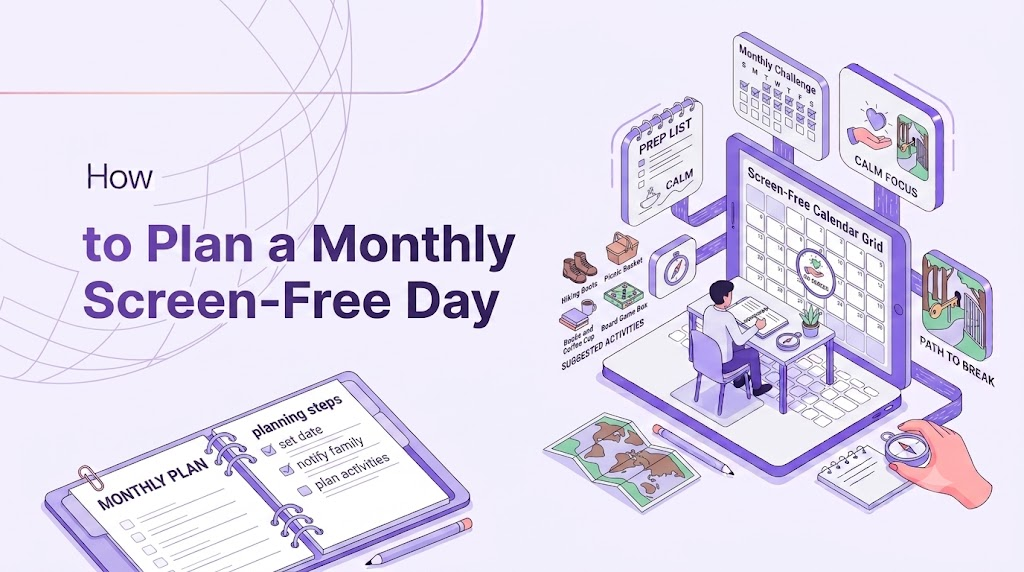
    Pick a day at least a week ahead, ideally one without pressing deadlines, appointments requiring digital check-in, or events you’d need your phone for. Put it on a physical calendar or tell someone else about it — a spoken or written commitment is far easier to keep than a private, vague intention.

    Handle Logistics the Night Before

    Screen-free doesn’t mean “unreachable in an emergency.” The night before, tell close family or housemates you’ll be offline and give them another way to reach you if truly necessary. Set an auto-reply on email. Print or write down anything you might need — directions, a recipe, a phone number — so you’re not tempted to grab your phone “just this once.”

    Decide What You’ll Do Instead

    An empty day with no phone can feel disorienting if you haven’t planned anything to fill it. Choose two or three activities in advance: a hike, cooking a proper meal, seeing a friend in person, working on a hobby. Having a loose plan prevents the boredom that often sends people straight back to their screens.

    Set Physical Boundaries for Your Devices

    Put your phone, tablet, and laptop in a drawer, a box, or another room entirely — somewhere retrieving them takes real effort. If you use your phone as an alarm clock, buy a cheap standalone alarm clock for the day, or borrow one, so there’s no reason to touch your phone first thing in the morning.

    Allow Necessary Exceptions, But Define Them Narrowly

    If you truly need GPS for a planned drive, or a phone for a scheduled call, decide that in advance and treat it as the exception, not the rule. Vague exceptions (“I’ll just check if anything’s urgent”) are how screen-free days quietly become screen-light days instead.

    Notice How You Feel, Not Just What You Did

    At the end of the day, take a few minutes — with pen and paper, not a notes app — to jot down how you felt. Restless in the morning and calmer by afternoon is a common pattern. Tracking this over several months shows you real progress that a single day alone won’t reveal.

    Make It a Standing Appointment

    The first screen-free day is the hardest; the fifth is much easier because your brain has a template for what to expect. Put a recurring reminder on your calendar — first Sunday of the month, for example — so it becomes a fixture rather than something you have to talk yourself into every time.

    A monthly screen-free day isn’t about proving you can survive without your phone for 24 hours. It’s a regular checkpoint that keeps your daily screen habits from drifting further than you’d choose if you stopped to think about it.

  • How to Reset Your Digital Habits in 24 Hours

    How to Reset Your Digital Habits in 24 Hours

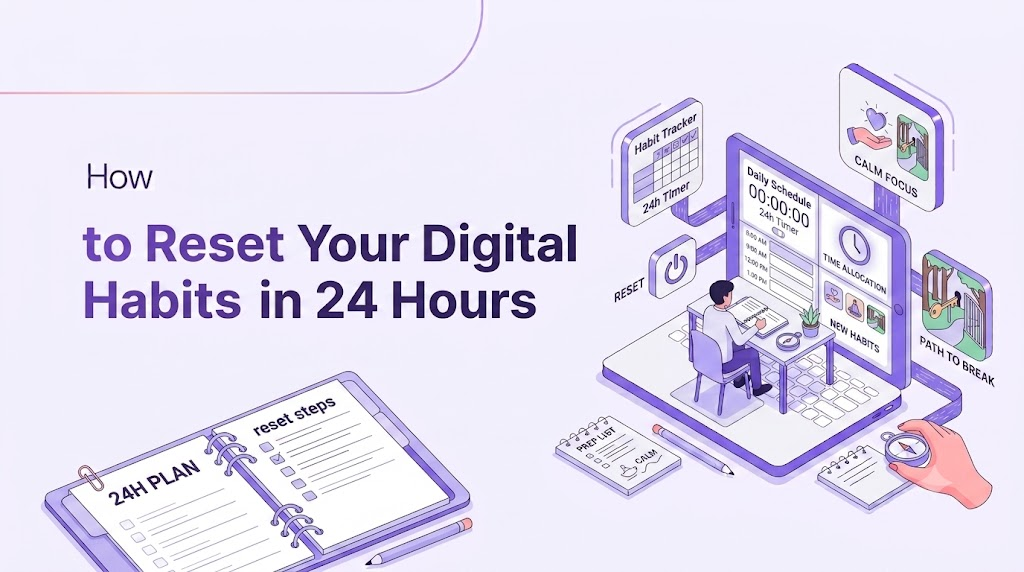
    You don’t need a month-long retreat to notice a difference in how you use technology. A focused 24-hour reset can interrupt autopilot scrolling patterns enough that you go back to your devices with more awareness — and often, less desire to overuse them. Here’s a simple hour-by-hour approach.

    Hour 0: Set One Clear Rule

    Rather than banning screens entirely, pick a single, specific rule for the day — for example, “no social media” or “phone stays in another room except for calls.” One clear rule is far easier to follow than a vague intention to “use my phone less.”

    Morning: Delay Your First Check

    Most people reach for their phone within minutes of waking up, which sets a reactive tone for the whole day. For this reset, wait at least 30–60 minutes after waking before looking at your phone at all. Use that window for something else — stretching, breakfast, getting dressed — so the day starts on your terms.

    Late Morning: Batch Your Notifications

    How to Reset Your Digital Habits in 24 Hours

    Turn on Do Not Disturb and check messages and email in two or three scheduled blocks rather than continuously. This alone tends to cut phone pickups dramatically, since most checks throughout the day are reflexive rather than necessary.

    Midday: Eat at Least One Meal Screen-Free

    Put your phone away — not just face-down, but out of reach — for one full meal. This small act rebuilds the habit of single-tasking, which constant device use quietly erodes over time.

    Afternoon: Do One Task With Your Phone in Another Room

    Pick a task that requires focus — work, reading, a chore — and physically separate yourself from your phone for it. Studies on attention consistently show that even a silent, face-down phone on the same table reduces focus; distance matters more than silence alone.

    Evening: Set a Hard Cutoff Time

    Choose a time — an hour before bed is a good target — after which screens are off entirely. Use the time instead for something low-stimulation: reading, journaling, a conversation, or simply winding down. This also tends to improve sleep quality, which compounds the benefits of the reset.

    Throughout the Day: Notice the Urge, Don’t Just Resist It

    Every time you feel the pull to check your phone, pause for five seconds and name what you’re feeling — boredom, anxiety, habit. You don’t have to act on the urge or suppress it; just noticing it consistently is what breaks the automatic nature of the behavior.

    The Next Day: Decide What Sticks

    At the end of the 24 hours, pick one or two things that felt genuinely better — maybe the screen-free meal, maybe the delayed morning check — and keep just those going forward. A full reset isn’t meant to be a permanent state; it’s a diagnostic tool that shows you which small changes are worth keeping.

    A 24-hour reset works because it’s short enough to commit to fully, but long enough to notice real patterns in how, when, and why you reach for your devices.

  • How to Create a Family Digital Detox Plan

    How to Create a Family Digital Detox Plan

    Getting an entire household to cut back on screens is harder than doing it solo — kids resist rules that feel one-sided, and parents often model the exact behavior they’re asking children to change. A family digital detox plan works best when it’s collaborative, consistent, and applies to everyone, not just the kids.

    Involve Everyone in Building the Rules

    Rules imposed from above tend to trigger resistance, especially from older kids and teens. Sit down together and ask what everyone thinks is reasonable — how much screen time, which hours are off-limits, which activities (homework, video calls with grandparents) don’t count. Kids are far more likely to follow rules they helped write.

    Set Screen-Free Zones, Not Just Screen-Free Times

    How to Create a Family Digital Detox Plan

    Rather than only limiting hours, designate spaces where devices simply don’t go — the dinner table, bedrooms after a certain time, the car on short trips. Zones are easier to enforce consistently than time-based rules, because they don’t require constant clock-watching.

    Apply the Rules to Adults Too

    Nothing undermines a family detox faster than parents scrolling through dinner while telling kids to put phones away. Whatever rules apply to children should apply to parents in the same spaces and times. This isn’t just fairness — kids learn tech habits primarily by watching adults, not by being told.

    Create a Shared Charging Station

    Set up one spot — a kitchen counter, a hallway shelf — where all devices charge overnight, for every family member. This removes phones from bedrooms, which improves sleep for kids and adults alike, and turns “put your phone away” into a simple, visible routine rather than a nightly argument.

    Plan Screen-Free Family Activities in Advance

    A detox is much easier to sustain when there’s something to do instead. Block out one or two times a week for a screen-free family activity — a board game night, a walk, cooking together. Put it on the calendar like any other commitment so it doesn’t get skipped when things get busy.

    Use a Visual Tracker for Younger Kids

    For younger children, a simple sticker chart or checklist tracking screen-free hours or completed offline activities can make the plan feel like a game rather than a punishment. Small, visible rewards for consistency work far better than abstract long-term reasoning about screen time.

    Expect Pushback and Plan for It

    Especially with teenagers, expect some resistance, particularly in the first week or two. Decide in advance how you’ll handle it calmly — a brief reminder of the agreed rule, rather than a new argument each time. Consistency from parents matters more than the specific severity of any single rule.

    Review and Adjust Monthly

    What works for a 7-year-old won’t work the same way for a 14-year-old, and family schedules change. Set a recurring monthly check-in — even just 10 minutes — to ask what’s working, what isn’t, and what needs adjusting.

    A family digital detox isn’t about restriction for its own sake. Done well, it frees up time and attention for the kind of connection that screens quietly crowd out — and it works best when everyone, adults included, is genuinely part of it.

  • How to Prepare Your Mind for a Tech-Free Break

    How to Prepare Your Mind for a Tech-Free Break

    Most failed digital detoxes aren’t a logistics problem — they’re a mindset problem. You can put your phone in a drawer, but if your mind is still braced for notifications and mentally rehearsing what you’re missing, the break won’t feel restful. Preparing mentally beforehand makes a much bigger difference than most people expect.

    Reframe “Disconnecting” as “Reconnecting”

    Framing a tech-free break as something you’re giving up sets you up to feel deprived the whole time. Instead, frame it as reconnecting — with your surroundings, the people you’re with, your own thoughts. The same break feels completely different depending on which story you tell yourself about it.

    Identify Your Real Anxiety Trigger

    Before you unplug, ask yourself honestly: what specifically am I afraid of missing? For most people it’s not one big thing — it’s a vague sense of falling behind. Naming the specific fear (a work email, a message from a particular person, news) lets you address it directly, like setting an auto-reply, rather than carrying a diffuse anxiety through the whole break.

    Practice Sitting With Boredom Beforehand

    Constant device use has trained most of us to treat any moment of boredom as something to immediately fix. In the days leading up to a tech-free break, practice letting small moments of boredom — waiting in line, a quiet commute — pass without reaching for your phone. This builds tolerance so the break itself doesn’t feel jarring.

    How to Prepare Your Mind for a Tech-Free Break

    Lower the Stakes

    You don’t need to have a perfectly peaceful, enlightening tech-free experience. Go in expecting some restlessness, especially in the first few hours — that’s a normal withdrawal-like response, not a sign you’re doing it wrong. Lowering your expectations for how it should feel makes it much easier to actually get through.

    Set an Intention, Not Just a Restriction

    “No phone for the weekend” is a rule. “I want to actually hear what my kids are telling me this weekend” is an intention. Intentions give your mind something to move toward, which is far more motivating than a rule about what to avoid.

    Write Down What You Want to Think About

    If your mind tends to wander toward checking your phone, give it somewhere else to go. Before the break, jot down a few questions, ideas, or decisions you’ve been meaning to think through. Unstructured time is a rare chance to actually process these without the constant interruption of notifications.

    Accept That the First Few Hours Are the Hardest

    Almost everyone reports the same pattern: restlessness and phantom-vibration urges in the first two to four hours, followed by a noticeable settling afterward. Knowing this in advance helps you push through the early discomfort instead of assuming the whole break will feel that way.

    Plan a Soft Landing Back

    Part of mental preparation is knowing how you’ll return. Decide in advance that you won’t try to process every notification at once — you’ll ease back in over 20–30 minutes rather than diving straight into a backlog. This takes the pressure off the break itself, since you’re not bracing for an overwhelming return.

    The physical side of a tech-free break — turning off the phone — is the easy part. The mental preparation is what determines whether the time actually feels restorative or just feels like waiting for the break to end.

  • How to Stick to a Digital Detox When Working Online

    How to Stick to a Digital Detox When Working Online

    If your job requires a screen, a traditional digital detox — phone off, laptop closed — simply isn’t an option. But that doesn’t mean you’re stuck with constant digital overload. A detox for people who work online has to target the compulsive, non-essential use layered on top of necessary work, not the work itself.

    Separate “Work Screen Time” From “Everything Else Screen Time”

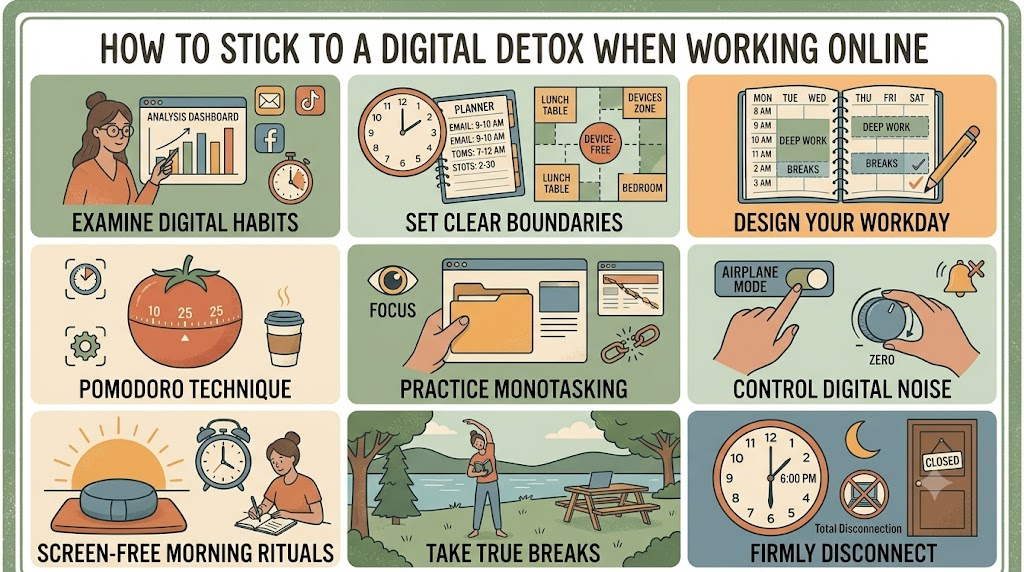
    The first step is distinguishing the two clearly. Work requires your laptop and probably email — that’s fixed. What’s not fixed is checking Instagram between tasks, opening five news tabs “for a quick break,” or reflexively picking up your phone every time you’re waiting for something to load. The detox targets that second category specifically.

    How to Stick to a Digital Detox When Working Online

    Use Separate Browsers or Profiles for Work and Everything Else

    Set up a dedicated browser (or browser profile) with only work-related bookmarks, extensions, and logins. Use a different browser entirely for personal browsing, and don’t log into personal social accounts on your work profile. This creates a real boundary that a single shared browser tab bar doesn’t.

    Block Distracting Sites During Work Hours

    Website blockers (many are free browser extensions) can restrict access to social media, news sites, and other time-sinks during set hours. The point isn’t total prohibition — you can usually override them if truly needed — but the extra step of disabling a blocker adds enough friction to stop most reflexive visits.

    Batch Non-Essential Tabs and Notifications

    Close tabs unrelated to your current task instead of letting them accumulate in the background, silently pulling at your attention. Turn off all non-essential notifications during work blocks — Slack and email can usually wait in short batches rather than being checked continuously.

    Use the Pomodoro Technique to Create Real Breaks

    Work in focused blocks (25–50 minutes), then take a genuine break — but make it a screen-free break: stand up, stretch, look out a window, get water. Using your “break” to scroll social media doesn’t actually rest your attention; it just shifts it to a different, equally demanding source.

    Set a Hard Stop for Work Devices

    One of the biggest sources of digital overload for online workers is the blurred line between “done for the day” and “still checking email at 9pm.” Set a specific time your laptop closes and stays closed. If something is truly urgent, a phone call will find you; most things can wait until morning.

    Keep Personal Devices Out of Reach During Work Blocks

    Even if your phone stays off for work purposes, a separate personal phone sitting nearby is a constant source of temptation and interruption. Put it in another room, a drawer, or a bag during focused work periods, and only bring it back during scheduled breaks.

    Track Non-Work Screen Time Specifically

    Most phones and browsers let you filter screen time reports by app category. Check your non-work usage weekly, separate from work tools, so you have a clear, honest picture of how much of your day is actually going to distraction rather than to your job.

    Working online doesn’t mean you’re exempt from a digital detox — it just means the detox has to be more surgical, targeting the layer of compulsive, non-essential screen use rather than the screen itself.